
Does a Desk Chair Really Affect Your Posture? Find Out the Truth
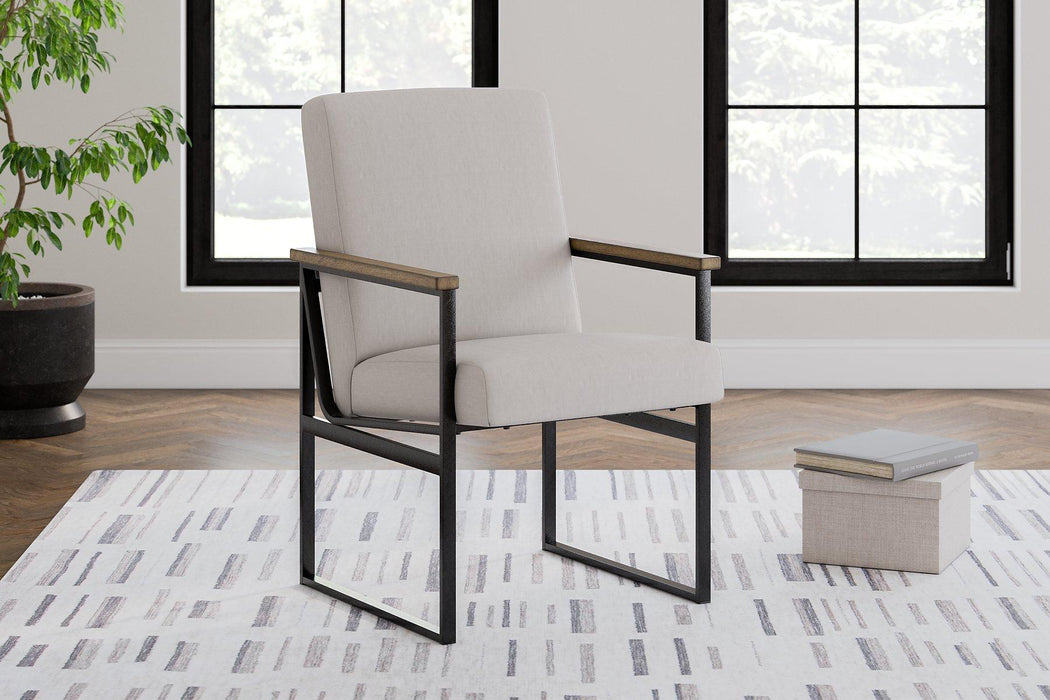
Does a desk chair really affect your posture? Absolutely. Your desk chair plays a crucial role in how well you maintain good posture throughout your workday. In this article, we’ll explore how the right chair can support your spine, reduce discomfort, and promote better posture habits.
Key Takeaways
-
Choose ergonomic chairs with adjustable features like lumbar support and seat height to enhance your comfort and maintain good posture.
-
Proper sitting habits are essential; align your body correctly in your chair for better spinal support and reduced muscle tension.
-
Regular movement breaks and additional ergonomic accessories can significantly improve your posture and overall well-being during long hours of sitting.
How Desk Chairs Influence Your Posture
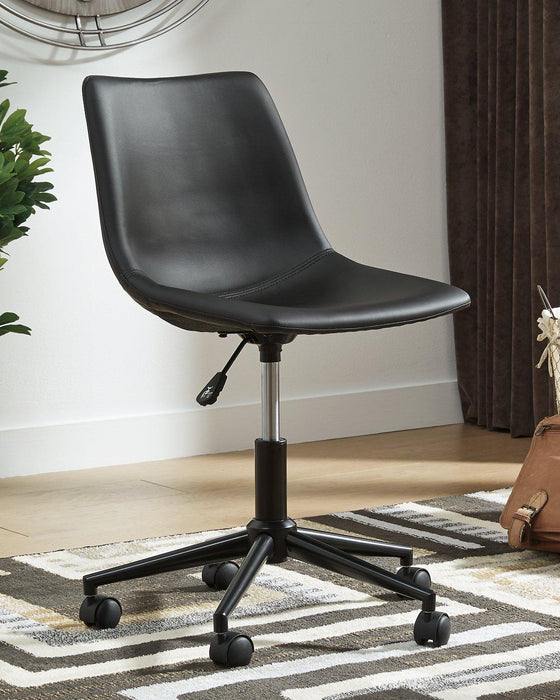
The design of your office chair can significantly influence your posture, either positively or negatively. Ergonomic chairs are crafted to provide support from head to toe, ensuring that your spine stays aligned and your muscles remain relaxed. However, merely owning an ergonomic chair doesn’t guarantee good posture. It’s crucial to adopt healthy sitting habits to reap the benefits fully.
Many people fall into the trap of believing that their ergonomic chair will take full responsibility for their comfort and posture. This misconception can lead to poor outcomes if one continues to sit incorrectly. Healthy sitting habits must accompany the mechanical advantages of an ergonomic chair to prevent back, neck, and shoulder pain.
A poorly adjusted office chair can be a root cause of various health issues. Without proper lumbar support, the natural curve of your lower back can be compromised, leading to misalignment and chronic discomfort. The key is to use your ergonomic chair correctly and consistently practice good posture.
The Role of Spinal Alignment
Proper spinal alignment is essential for overall health and well-being. When your spine maintains its natural curve, it reduces the risk of compression of spinal discs and chronic pain. Using an ergonomic chair with a backrest that reclines encourages a relaxed but supported posture, reducing the pressure on your spine.
To maintain good posture, it’s important to align your head with your spine and keep your feet flat on the ground. Consistent habits, such as ensuring your back aligns with the chair’s backrest, can significantly improve posture over time. Remember, good posture is not just about the chair but also about how you use it.
Muscle Tension and Comfort
Ergonomic chairs are designed to minimize muscle tension and maximize comfort. Adjustable features allow users to maintain a seated position that reduces strain on back muscles, preventing fatigue and discomfort during long hours of sitting. Proper ergonomic support reduces muscle tension, enhancing comfort and preventing fatigue during long periods of sitting.
Selecting a good ergonomic chair with ergonomic features helps reduce muscle tension and improves overall comfort at a desk. Ergonomic chairs minimize muscle tension, preventing neck, shoulder, and lower back pain, thus improving posture and well-being.
Essential Features for Proper Ergonomic Support
Ergonomic chairs are designed to support the human body effectively, considering posture and comfort. They often include adjustable features such as:
-
Lumbar support
-
Seat height
-
Armrests These features are crucial for maintaining proper posture and preventing discomfort. Ergonomic features can prevent discomfort and chronic pain from prolonged sitting.
We will explore the essential features that make an ergonomic chair effective. These include:
-
Adjustable seat height
-
Lumbar support
-
Adjustable armrests Each of these features plays a vital role in providing proper ergonomic support and enhancing overall comfort.
Adjustable Seat Height
Adjustable seat height ensures your feet remain flat on the ground and your knees form a right angle. This standing positioning helps maintain good alignment and support while sitting. To sit correctly in the same position, your feet should rest flat on the ground, and your knees should form a right angle.
Using a footrest can support your feet and encourage better spinal alignment while seated for extended periods. Feet resting flat on the ground help maintain good alignment and support while sitting on your sit bones. This simple adjustment significantly improves overall comfort and posture.
Lumbar Support
An ergonomic chair’s lumbar support is crucial for maintaining the natural curve of the lower back, which helps prevent discomfort. Many ergonomic chairs feature adjustable lumbar support, enhancing comfort during prolonged sitting. A lumbar cushion helps maintain the spine’s natural curve while seated.
Consider chairs with adjustable lumbar support for better spinal alignment. This feature ensures that the lower back is adequately supported, promoting better posture and preventing lower back pain during long periods of use.
Armrests and Their Adjustability
Adjustable armrests are a key feature in ergonomic chairs that contribute significantly to overall comfort and posture. They provide the following benefits:
-
Support the arms
-
Help keep shoulders relaxed
-
Reduce tension in the upper back and neck Properly adjusted armrests keep shoulders relaxed and reduce upper back strain.
The benefits of adjustable armrests in reducing physical stress make them an essential feature for those spending long hours seated. Correctly adjusted arm support significantly enhances comfort and arm while working at a desk.
Impact of Different Types of Office Chairs on Posture

Office chairs vary in design and functionality, significantly influencing user posture and support. Certain chairs are designed specifically to promote good posture by providing comprehensive support, while others may lack the necessary ergonomic features.
Various types of office chairs can significantly affect posture, with some designs promoting better spinal alignment than others. We will compare standard office chairs with ergonomic office chairs and explore the benefits of gaming chairs.
Standard Office Chair vs. Ergonomic Office Chair
Ergonomic chairs include various types such as:
-
Operator chairs: Known for their comfort, longevity, and ergonomic features that enhance user support.
-
Executive chairs: Distinguished by their luxury materials and provide the highest level of support among office chairs.
-
Draughtsmen chairs.
Draughtsmen chairs, however, have a limitation in providing postural support due to their lack of armrests. Comparing these with standard office chairs underscores the importance of ergonomic features for proper posture and comfort.
Gaming Chairs and Their Benefits
Gaming chairs are designed with ergonomic features aimed at supporting extended periods of sitting, making them beneficial for office use. The design of a gaming chair often features adjustable parts, allowing users to customize fit according to their body type.
Due to their ergonomic design and adjustable components, gaming chairs can be suitable for office use, enhancing comfort during long work hours. These chairs provide extensive lumbar support, which helps to prevent lower back pain during prolonged sitting.
Long-Term Effects of Using the Wrong Chair

Using a poorly designed office chair can have profound negative impacts on your posture over time. Improper chair support can lead to unnatural spinal alignment and various pains, including back, neck, and shoulder pain. Long-term use of a poorly designed chair can cause musculoskeletal problems and poor posture.
Poor seating can lead to health problems, impact comfort, and reduce productivity. Slouching in a chair can lead to long-term back problems and bad posture, affecting your overall well-being and quality of life.
Chronic Pain and Discomfort
Improperly adjusted chairs can result in chronic pain due to the compression of spinal discs, leading to degeneration over time, causing discomfort. A properly adjusted chair can reduce fatigue and improve productivity, which can alleviate discomfort associated with prolonged sitting.
Extended use of a poorly designed chair can lead to chronic pain in the back, neck pain, and shoulders. Good posture, supported by ergonomic chair design, reduces the chances of musculoskeletal problems and promotes overall health, especially when considering posture long term.
Poor Circulation and Health Issues
Prolonged sitting in poorly designed chairs significantly increases the risk of mortality and cardiovascular disease, particularly in those leading a sedentary lifestyle. A poorly designed chair can cause indigestion and reduced blood flow, increasing pressure on intestinal organs and potentially contributing to weight gain.
Dynamic sitting chairs enable users to change angles between back and thighs, stimulating muscles and enhancing blood flow, which can lead to improved health outcomes. Many gaming chairs are designed to enhance blood circulation, which can be beneficial during extended sitting sessions.
Tips for Maintaining Good Posture at Your Desk

Maintaining good posture requires a combination of having an ergonomic chair and practicing good sitting habits. Key features and tips include:
-
An ergonomic chair should have height adjustments to ensure your feet are flat on the floor.
-
Your eyes should be level with the monitor.
-
If your feet can’t fit firmly on the floor while sitting, using a footrest can help.
Additional support such as extra lumbar support, a footrest, or wrist support may be necessary for comfort in an ergonomic office chair. Daily stretches and an active sitting position keep muscles engaged and promote good posture support.
Regular Movement Breaks
Take frequent breaks, ideally every half hour, to combat the negative effects of prolonged sitting. Taking breaks to walk around or stretch aids in:
-
Reducing discomfort
-
Enhancing overall circulation
-
Maintaining good posture
-
Reducing fatigue
-
Improving overall well-being
Short breaks in your daily routine can significantly enhance comfort and productivity.
Correct Sitting Habits
To promote good posture:
-
Ensure your feet are flat on the floor or on a footrest.
-
Keep your thighs parallel to the ground.
-
Adjust your chair so your feet rest flat on the floor.
-
Position your knees at or slightly lower than hip level, and be aware of your body positions.
Place the computer monitor at eye level directly in front of you to avoid neck strain and maintain posture alignment. Keep your shoulders relaxed and not hiked up towards your ears while working.
Additional Ergonomic Accessories
Ergonomic accessories can greatly enhance maximum comfort and support at a desk. Footrests help ensure that your feet are flat and improve circulation by reducing pressure on the legs and thighs.
Lumbar cushions provide essential support for the lower back, helping to maintain natural spine alignment. Other ergonomic accessories include seat cushions and wrist supports, which also contribute to overall comfort and better posture.
Shop at Sweet Furniture Today!
Ready to upgrade your office chair? Shop at Sweet Furniture for a high-quality office chair that meets all your ergonomic needs. Our wide selection of ergonomic furniture ensures you’ll find the perfect chair to support your posture and enhance your comfort.
Summary
In conclusion, the right office chair can make a significant difference in your posture and overall health. Ergonomic chairs with adjustable features for seat height, lumbar support, and armrests are essential for maintaining good posture and reducing discomfort. Regular movement breaks and correct sitting habits are crucial for preventing long-term health issues associated with prolonged sitting.
Take action today by investing in a high-quality ergonomic chair and practicing good sitting habits. Your body will thank you for it, and you’ll notice a significant improvement in your comfort and productivity.
Frequently Asked Questions
Why is lumbar support important in an office chair?
Lumbar support in an office chair is essential for maintaining the natural curve of your lower back, ensuring good posture and preventing discomfort. Prioritize your spine health to avoid chronic back pain and stay productive!
How can I maintain good posture while sitting for long hours?
To maintain good posture while sitting for long hours, keep your feet flat on the floor, your back straight against the chair, and your monitor at eye level. Remember to take regular movement breaks and consider ergonomic accessories to enhance your comfort; your body will thank you!
What are the benefits of using a gaming chair for office work?
Using a gaming chair for office work is a fantastic choice as it provides ergonomic support, adjustable components for a personalized fit, and promotes better blood circulation. You’ll feel more comfortable and productive during those long hours at your desk!
Can a poorly designed chair affect my health in the long term?
Absolutely, a poorly designed chair can cause long-term health issues like chronic pain and poor posture. Investing in a good chair now can protect your well-being in the future!
What additional ergonomic accessories can improve my sitting experience?
Incorporating ergonomic accessories like footrests, lumbar cushions, seat cushions, and wrist supports can significantly enhance your sitting experience by promoting better posture and comfort. Take these small steps to create a healthier workspace!